Property Management ID Solutions
Property Management Identification Solutions
Bring tenant, employee, contractor, visitor, access, and parking identification together around the systems your property already uses. Start with the job you need to accomplish, then verify the exact credential or printer model before ordering.
What do you need to manage?
Each card below opens the most useful guide or service for that part of the identification workflow.
Access & Proximity Cards
Replace or add credentials that match your existing access-control technology, format, and programming.
Identify the right cardTenant & Employee Badges
Issue professional photo IDs for one property or coordinate recurring badge production across several locations.
Explore badge printingVisitor & Contractor Badges
Make guests, vendors, service crews, and contractors visibly different from residents and employees.
Explore visitor badgesParking Permits
Identify authorized resident, tenant, employee, contractor, and visitor vehicles at a glance.
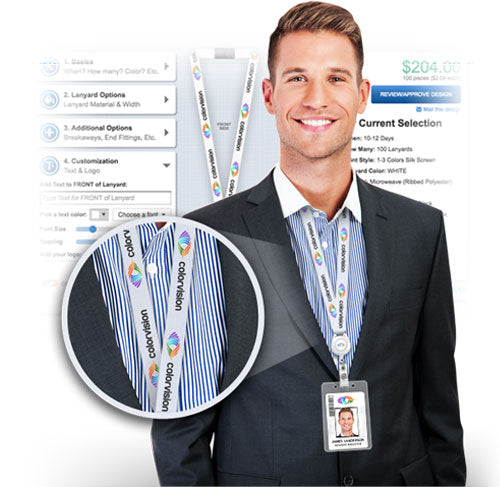
Compare permit optionsBadge Holders, Reels & Lanyards
Match how a credential is worn or presented to its orientation, reader workflow, and required protection.
Choose a badge holderPrinter Ribbons & Supplies
Find genuine supplies by printer brand, model, and complete manufacturer part number.
Use the ribbon finderCommon property-management applications
These examples show how the product categories work together without requiring you to replace the systems and procedures already in place.
Before You Order
- Confirm the exact access-card technology and programming used by the existing system.
- Decide whether badges provide visual identification only or must also work with access control.
- Separate permanent resident or employee credentials from temporary visitor and contractor identification.
- For printer supplies, match the full printer model and manufacturer part number.
- For custom parking permits, gather the quantity, material, numbering, artwork, and desired delivery date.
Property Management ID FAQs
How do I replace a resident or employee proximity card?
Start with the exact card technology and programming used by the existing access-control system. Useful information can include the manufacturer and part number, card format, facility or site code, and the next available card number. A printed number or a photograph of the card may not identify everything required.
Use the RightProx card-identification guide or send the available card information through our contact form.
Can one card serve as both a photo ID and a door-access credential?
Often it can, but the card stock, access technology, printing method, and any encoding equipment must all be compatible. Confirm the access credential first; then determine whether that credential can be safely printed and whether the printer needs an encoder.
Should we print badges onsite or have them printed for us?
Onsite printing fits properties that issue cards frequently and need immediate replacements. Outsourced production can be a better fit when badge requests are less frequent, several properties need one approved design, or staff would rather submit badge information than maintain a printer and supplies.
Can badges be ordered for several properties or locations?
Yes. All Things Identification can work from an approved organization template and spreadsheet-based badge orders for multi-location programs. Employee data is not stored in a public online badge database, and account procedures are established during onboarding.
Which parking permit works best for residents, guests, or contractors?
Hang tags are visible and can be moved between authorized vehicles. Adhesive decals are better for longer-term assignment and make casual transfer more difficult. Static-cling permits can suit temporary or seasonal use. Colors, numbering, and expiration information can separate residents, staff, visitors, and contractors.
What is the best way to identify visitors and contractors?
Use identification that is visibly different from permanent resident or employee credentials. Depending on your process, the badge can show a name, company, role, photo, authorized area, date, or expiration. Temporary and reusable choices are available.
What holder should I use with a proximity card?
Choose around how the card must be presented to the reader. A clear or rigid holder can protect the credential while leaving it ready to scan. Shielded holders intentionally limit unauthorized reading and may require the card to be removed or presented differently. Also confirm card orientation and whether more than one credential is carried.
What information identifies the correct printer ribbon?
Provide the printer manufacturer, complete model name, and the full manufacturer part number from the current ribbon box or cartridge. Similar-looking ribbons can have different chips, yields, panels, or regional compatibility.
Can a property-management company submit a purchase order?
All Things Identification accepts purchase orders from established customers. Send the products, quantities, delivery location, and requested timing through our contact form, or call us so we can confirm availability and account details.
Need help matching an existing system?
Send the credential or printer model, current part number, application, and approximate quantity. We will help narrow the compatible choices without redesigning your property’s security workflow.
Use our contact formCall 1-800-560-8158